How Physical Access to Cables Bypasses Logical Security Controls
Security teams spend a lot of time designing firewalls, endpoint detection platforms, identity controls and network policies. Those controls matter. But they operate on top of a physical network: switches, patch panels, fibre, copper, cabinets and the spaces between them. If someone can reach that infrastructure, they may be able to interfere with the assumptions those controls rely on.
This is not an argument that logical controls are ineffective. It is a reminder that physical infrastructure is part of cybersecurity, not a separate facilities concern. In office fit-outs, operational technology (OT) environments and corporate networks, I have seen cabling and switching issues cause both outages and security blind spots. The warning signs are often mundane: an unlocked cabinet, an unlabelled patch panel, or a cable run that nobody can confidently identify.
These are physical access vectors. They do not automatically grant an intruder access to sensitive systems, but they can create opportunities to disrupt connectivity, undermine segmentation or make monitoring less reliable. Good security design considers what happens when someone can reach the network edge—and what happens at 2am when a cable fault takes a critical service offline.
What logical controls assume
A firewall filters traffic according to rules. An endpoint detection platform monitors activity on devices where it is installed and can report suspicious behaviour. Network access controls and segmentation policies can limit which systems communicate. Each is valuable, but each depends on the network being built and operated as intended.
For example, a segmentation policy depends on suitable switches, correctly configured ports, accurate device inventories and a design that keeps traffic in the intended zones. If the physical connections do not match the documentation, the logical picture can be wrong. A firewall cannot enforce a boundary that traffic does not traverse, and endpoint monitoring cannot provide visibility into a device that is absent from its coverage.
This is where a logical control bypass can occur—not necessarily because a security product has been defeated, but because physical conditions have changed the path, availability or visibility of network traffic. The control may still be functioning exactly as configured while the environment around it no longer meets its assumptions.
How physical access becomes a security issue
Physical access to network infrastructure can affect confidentiality, integrity and availability. The exact consequences depend on the environment, the equipment, access restrictions and the quality of monitoring. In many cases, the most immediate risk is not sophisticated intrusion but uncertainty: staff cannot tell what is connected, where a cable leads, or whether cyberdaily.au a change was authorised.
Exposed cable runs and accessible connection points
Exposed cable runs in public, shared or poorly controlled areas can make it easier for someone to tamper with a connection or create an unauthorised one. Cables routed through accessible ceilings, corridors, risers or plant rooms may be vulnerable if routes are not protected and inspected. Even where the cable itself is difficult to manipulate, accessible wall outlets and cabinets can provide an opportunity to connect unknown equipment.
The risk is not limited to deliberate interference. A contractor may unplug the wrong lead, a cleaning crew may dislodge a connection, or an undocumented device may be left behind after project work. These events can create outages, unexpected network paths and gaps between the documented and actual environment.
Patch panels, cabinets and switching rooms
Patch panels and network cabinets are control points. If access is not restricted, a person may be able to alter connectivity or make a change that is difficult to distinguish from routine maintenance. Poor labelling makes the situation worse. When ports are marked only with vague notes—or not marked at all—responders may make hurried guesses during an outage, potentially extending the disruption or connecting the wrong service.
Unmanaged switches in production are another concern. They can be introduced without the visibility, configuration control or monitoring expected of managed infrastructure. The result may be an undocumented extension of a network, a new failure point, or an unintended mixing of traffic. “It was only temporary” is not a durable security control.
Power, environmental and physical faults
Physical layer faults are not always caused by tampering. Damaged fibre, poor-quality terminations, accidental cable pulls, overheating, water ingress and unstable power can all impair network services. These faults create outages, but they can also produce security blind spots: monitoring links may drop, logs may be incomplete, or teams may focus on restoring service without noticing an unauthorised change made at the same time.
In OT environments, the consequences can be particularly serious. Network equipment may sit in cabinets or plant areas exposed to heat, dust, vibration or limited physical oversight. Industrial devices and protocols may also have different operational constraints from office IT. A design that is adequate for a small office is not automatically appropriate for a production line or remote site.
Segmentation starts with the physical design
Segmentation is often discussed as a configuration task: define zones, write rules, and apply them to firewalls or switches. In practice, segmentation depends on capable switching and correct design from the outset. The topology, cabling routes, equipment capabilities and port assignments all contribute to whether the intended boundaries are real and maintainable.
Managed switches can provide important capabilities for enforcing and observing network design. But features alone do not guarantee security. They need to be configured consistently, supported by accurate diagrams, and protected against unauthorised changes. The right design also considers how to handle outages and maintenance without creating informal shortcuts that persist long after the urgent work is finished.
When selecting equipment, organisations should assess the requirements of each environment rather than relying on brand names as a substitute for design. Cisco is common in corporate networks, while MOXA equipment is used in many industrial and transport settings; Garland is known for network test and visibility products. These companies operate in different parts of the infrastructure landscape, so the relevant question is not simply which logo is on the device. It is whether the equipment and its deployment meet the operational, security and support requirements of that site.
Physical condition Possible impact Useful control Unlocked or shared network cabinet Unauthorised changes, unknown connections or service disruption Restrict access, record entry and inspect changes Unlabelled patch panel Mispatching, slow recovery and uncertainty about network paths Use consistent labels and maintain current port documentation Exposed cable runs Accidental damage or easier access to network connections Route and protect cabling according to site risk Unmanaged switch in production Reduced visibility and uncontrolled network extension Prohibit or formally assess and monitor all network devices Unmonitored infrastructure fault Outage and gaps in security telemetry Monitor link health, power and relevant equipment alertsWhy physical faults create security blind spots
Network and security teams often rely on several views of the environment: switch configurations, firewall logs, endpoint telemetry, asset inventories and network diagrams. Those views are only as useful as the data feeding them. A cable moved without a change record can make a diagram inaccurate. A failed monitoring connection can leave a gap in telemetry. A device added to an uncontrolled switch may not appear in the expected inventory.
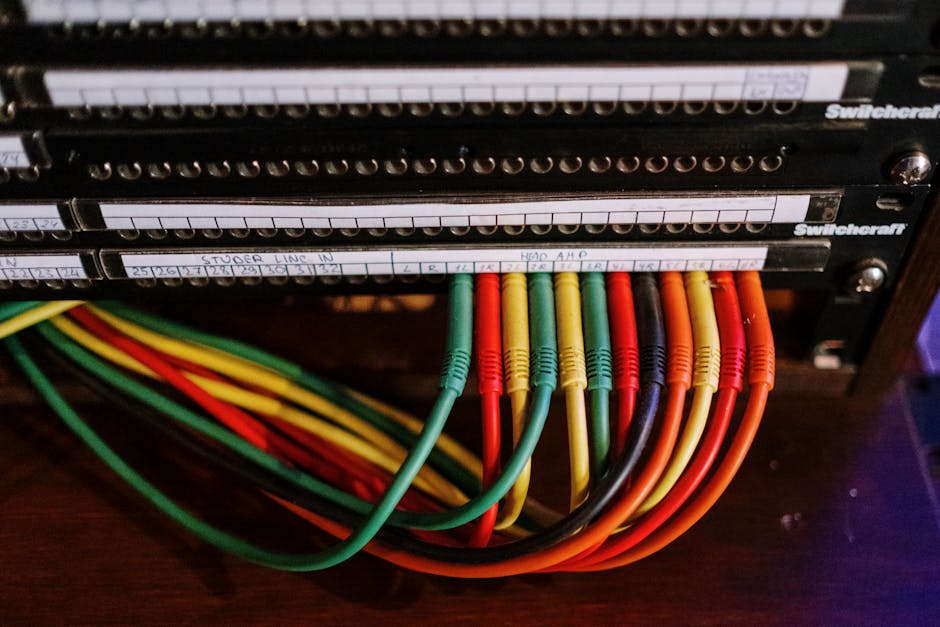
Outages can also change human behaviour. Under pressure, teams may bypass normal processes to restore service quickly: a temporary cable is connected, a port is enabled, or an unmanaged switch is used to get a department back online. That can be understandable in the moment, but the temporary fix must be recorded, approved and removed or formalised. Otherwise, an emergency workaround becomes part of the production network.
Incident responders should therefore treat unexplained link changes, repeated physical-layer errors and discrepancies between diagrams and reality as more than maintenance noise. They are not proof of malicious activity, but they deserve investigation. Correlating facilities access records, change tickets, switch events, firewall data and endpoint alerts can help distinguish a routine fault from a potentially significant event.
ACSC guidance and the foundations underneath it
ACSC guidance is most effective when organisations have solid network foundations. Security advice about controlling access, managing assets, monitoring events and limiting unnecessary connectivity depends on knowing what infrastructure exists and how it is connected. If cable routes are undocumented, cabinets are accessible and switch configurations are unmanaged, it becomes harder to apply guidance consistently or demonstrate that controls are working.
That does not mean every organisation needs the same architecture. A small office, a hospital, a warehouse and an industrial site have different risks and operational needs. The shared requirement is a reliable baseline: accurate asset and connectivity records, access control for critical spaces, change management, suitable network equipment and a way to detect when the physical environment diverges from the design.

Practical steps to reduce physical access risk
Start with visibility, then improve the protections in proportion to risk. The aim is not to make every cable inaccessible at any cost; it is to make unauthorised changes difficult, detectable and recoverable.
- Map the real network. Reconcile diagrams and asset records with physical inspections. Identify cabinets, patch panels, cable routes, uplinks and connections to OT or third-party networks.
- Control access to infrastructure. Restrict keys and access credentials for comms rooms and cabinets. Record who has access and review it when roles or contractors change.
- Label and document consistently. Label both ends of cables and relevant panel ports using a durable, agreed scheme. Keep records current after moves, adds and changes. I keep a label maker in my laptop bag for a reason.
- Protect exposed routes and outlets. Assess public and shared areas, risers and plant rooms. Use appropriate physical protection and avoid leaving unused connections available without a clear need.
- Standardise switching. Remove unauthorised or unmanaged switches from production networks. Where specialist equipment is required, document its purpose, owner, configuration and support arrangements.
- Monitor infrastructure health. Alert on relevant link, power and equipment events, and retain enough information to investigate unexpected changes. Include monitoring dependencies in continuity planning.
- Exercise recovery. Practise restoring service after a cable or switch fault. Confirm that responders can identify the right connection without guesswork and preserve useful evidence while restoring operations.
Ask the 2am question
When reviewing a network, ask: what happens at 2am when this fails? Can the on-call engineer identify the affected cable, switch and service? Is there a documented escalation path? Can they restore connectivity without defeating segmentation or leaving an unknown connection behind? If the answer depends on finding the one person who remembers how the cabinet was wired, the environment is fragile.
Physical security should not be treated as “just plumbing”. Cables and cabinets carry the traffic on which identity controls, firewalls, endpoint detection platforms and business services depend. A fault or unauthorised change at the physical layer can cause an outage, weaken segmentation or remove visibility while logical controls appear healthy.
The practical response is straightforward: know what is connected, protect access to critical infrastructure, use capable and managed switching, document changes, and monitor for divergence between design and reality. Those foundations make logical controls more dependable—and make recovery faster when something goes wrong.